Capture the full page.
Privately
and locally.
Stitchly scrolls, captures, and stitches full web pages entirely within your browser. No cloud uploads. No privacy risks.
Simple, fast, and secure.
Designed to feel like a native part of your browser experience.
Perfect Stitching
Automatically scrolls to capture and seamlessly merge segments, handling fixed headers and lazy-loaded images gracefully.
100% Local Privacy
Your captures are stored exclusively in your browser's IndexedDB. We have no servers, meaning zero risk to your sensitive data.
Built-in Editor
Review your local gallery, crop out unnecessary sections, and export directly to PNG or JPG with a single click.
Powerful tools for every detail
From precise captures to professional annotations, Stitchly gives you everything you need to communicate visually.

Select Capture
Hover and click to capture specific DOM elements instantly.

Area Crop
Drag and drop to select a custom area for the perfect shot.

Smart Shapes
Add arrows, rectangles, and circles to guide the eye.

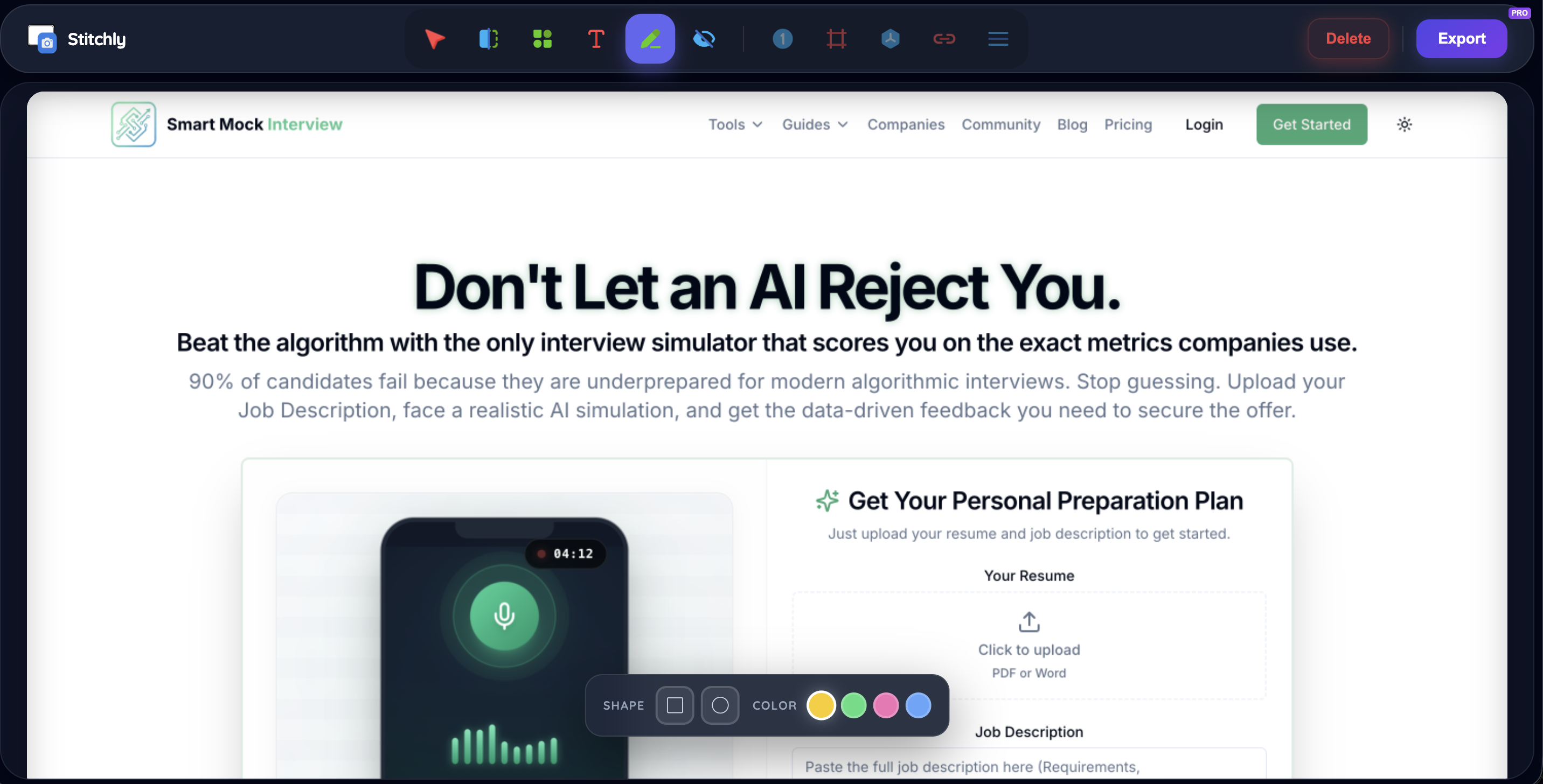
Pro Annotations
Add clear, high-contrast text to explain complex flows.

Highlighter

Privacy Blur
PROProtect sensitive data with professional-grade blurring.

Auto Steps
PROAutomatically number steps for tutorials and guides.

Canvas Styling
PROAdd stunning gradients and padding to your captures.

Device Mockups
PROWrap screenshots in sleek browser or device frames.

Direct URL Capture
Capture any live website just by pasting its link.

Brand Watermarks
PROProtect your work with custom logo watermarks.
And much more...
Constantly evolving with new pro features.
How it works under the hood
Unlike traditional screenshot tools that upload your data to external servers, Stitchly leverages modern web APIs to do everything locally.
Capture
The extension utilizes the native Chrome APIs to take high-res snapshots as it seamlessly scrolls down.
Process
Image fragments are stitched together using an offscreen Canvas element right inside your browser memory.
Store Locally
The final image blob is saved directly to your browser's IndexedDB, accessible only by you from a local dashboard.
Unlock the full potential of Stitchly
Get clean PDF exports, professional Blur & Step tools, and custom watermarking with Stitchly Pro.
- No watermarks on PDF or Scroll Videos
- Advanced tools: Blur, Steps, & URL Stamps
- Full Mockup Suite & Custom Branding
Ready to start capturing?
Install Stitchly in seconds and take your first full-page screenshot without compromising your privacy.
Opening Chrome Web Store...